


An inspection is the second kind of round. It has no points: every question lives on a single form, filled in by whoever starts it — on the spot, there and then.
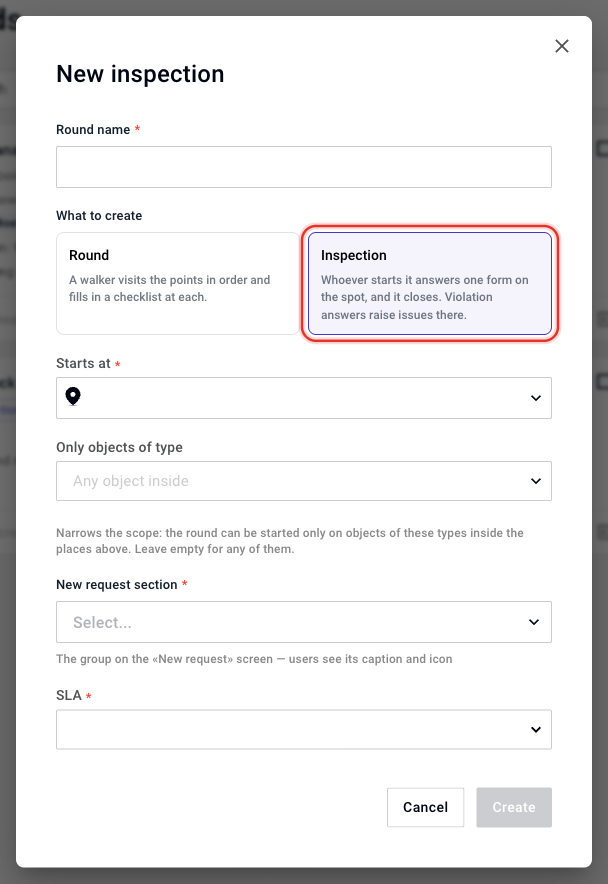
An inspection instead of a round: there will be no points, and the questions live on the launch form itself.
When to use an inspection rather than a round
| Sign | Round | Inspection |
|---|---|---|
| Someone walks between rooms | ✓ | |
| Someone stands in front of one object | ✓ | |
| Checked along a route, regularly | ✓ | |
| Checked before an event: a departure, a shift, a handover | ✓ | |
| Different rooms, different question lists | ✓ | |
| One question list for any object | ✓ |
Typical inspections: checking a vehicle before it leaves, accepting a room after cleaning, checking equipment before a shift.
An inspection's page
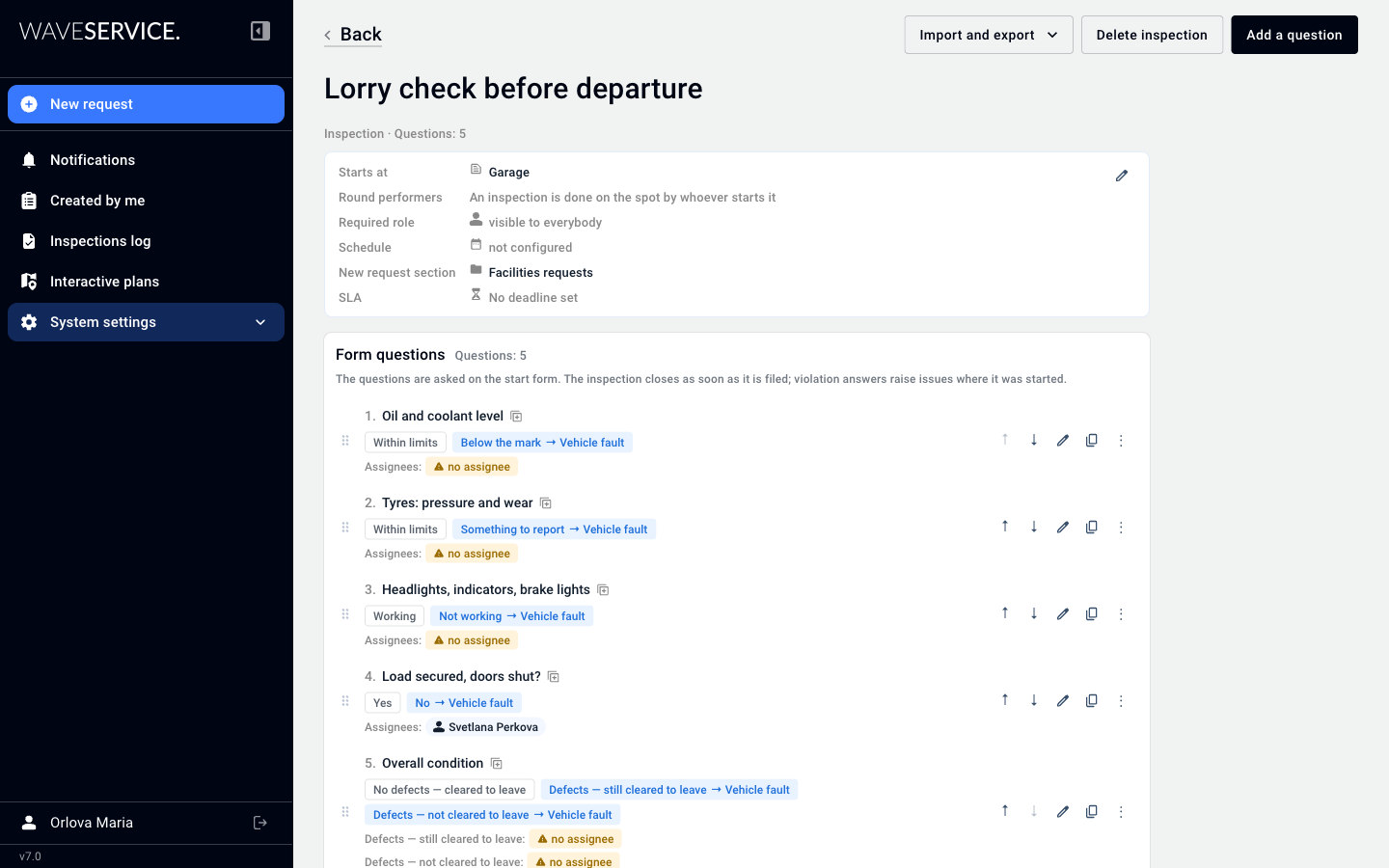
The page of an inspection: one block of questions and no points. Form fields the editor does not touch are listed separately.
Instead of a list of points there is a single Form questions block. Everything else — the settings header, the editor's remarks, the question dialog — works exactly as it does on a round.
Listed separately are Other form fields — fields that exist on the form but are not managed by the editor ("Driver" or "Odometer", say). The editor shows them so you know they are there, and otherwise leaves them alone.
Who fills it in, and when
An inspection is carried out by whoever starts it. They open it in the app, answer the questions and send it — and with that the inspection is closed. There is no separate assignee it lands on: creating it is doing it.
Which is why an inspection has no partly-done state: it either has not been started, or it has been sent.
Choice questions
The valuable thing in inspections is the Choice question, where every option can be a violation with a request of its own.
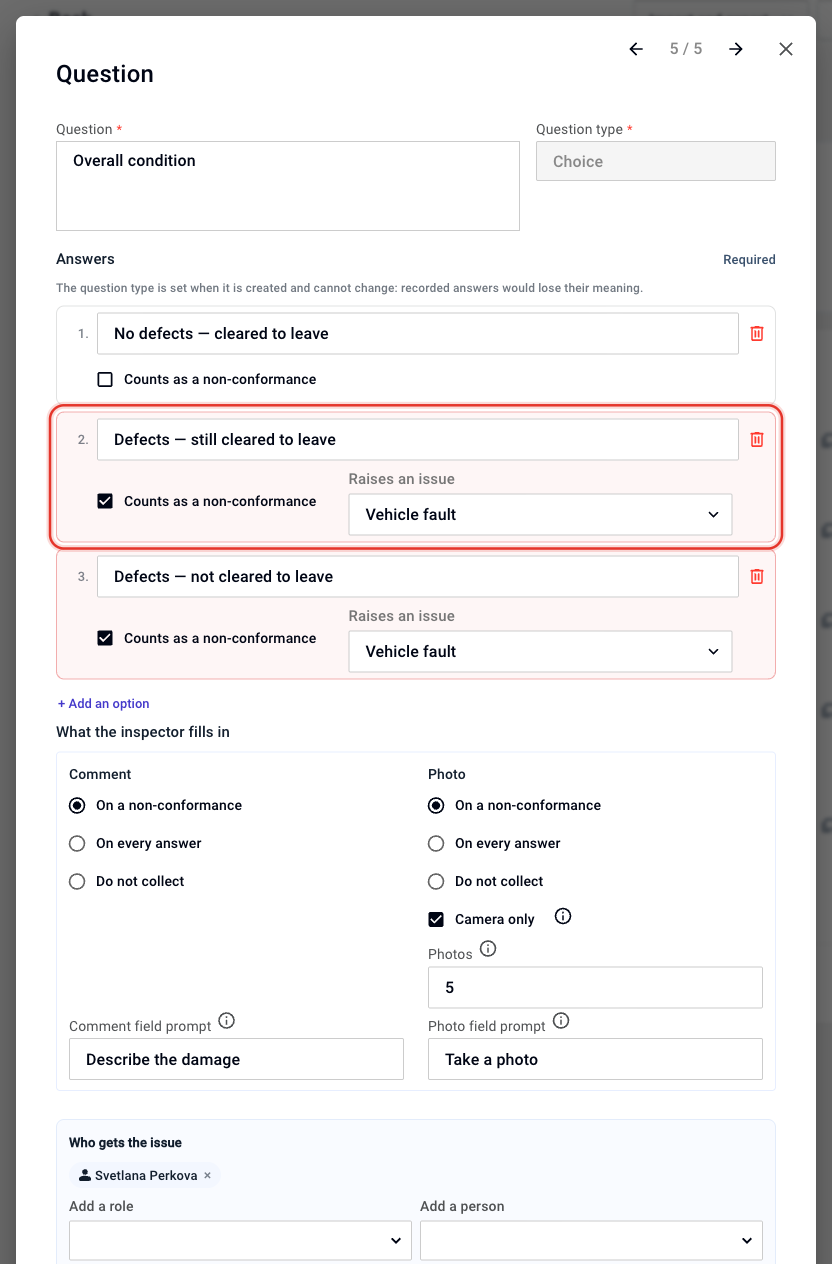
A choice question: any answer can be marked as a violation and given a request of its own.
Here "Defects — still cleared to leave" and "Defects — not cleared to leave" are both marked as violations, and each raises its own request.
Grading by severity
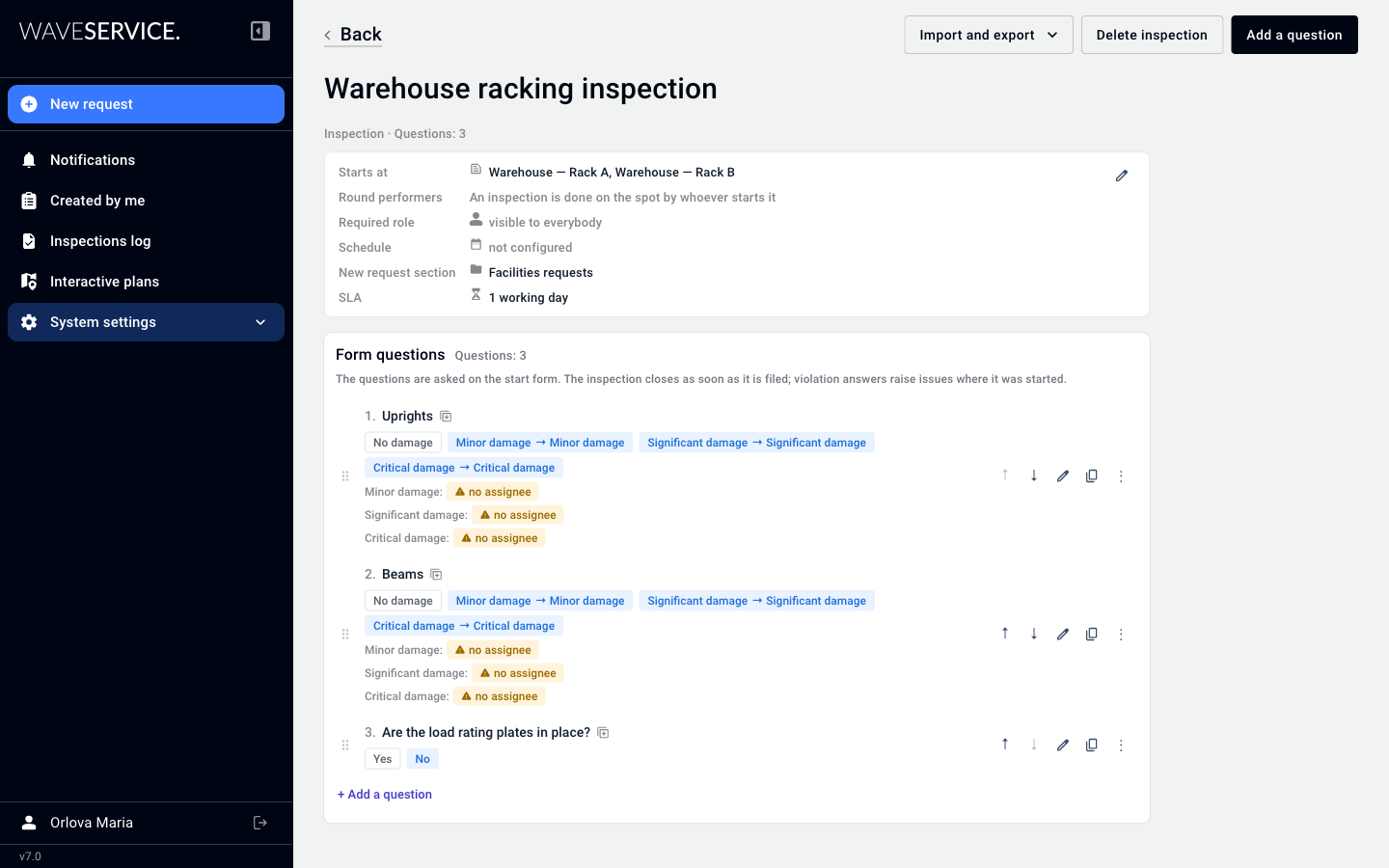
Three levels of damage — three different requests from a single question.
This is the technique the whole arrangement is for: one question, three degrees of damage, three different requests.
The inspector does not have to decide who to call: they pick what they see — "Minor damage", "Significant", "Critical" — and the system decides which request is raised, with what deadline and for whom.
That is the real advantage over a paper form: severity turns into routing instead of a note in the margin that somebody has to read later.
Check that every violating option names its own request type. If two options share a type, the grading exists only on paper: the requests will be indistinguishable, land on the same people and carry the same deadline.
What works the same as on a round
- the kind is chosen at creation and does not change — see Creating a round;
- questions, comment and photo modes, the request's route — see Questions, violations and requests;
- the Excel round trip — see The Excel round trip. In the file an inspection has no rows on the "Points" sheet, and its questions carry an empty "Checklist" cell.