


The question is the substantial part of a round: this is where it is decided what counts as a violation and what happens when one is found. A question opens by clicking its row in a point's section.
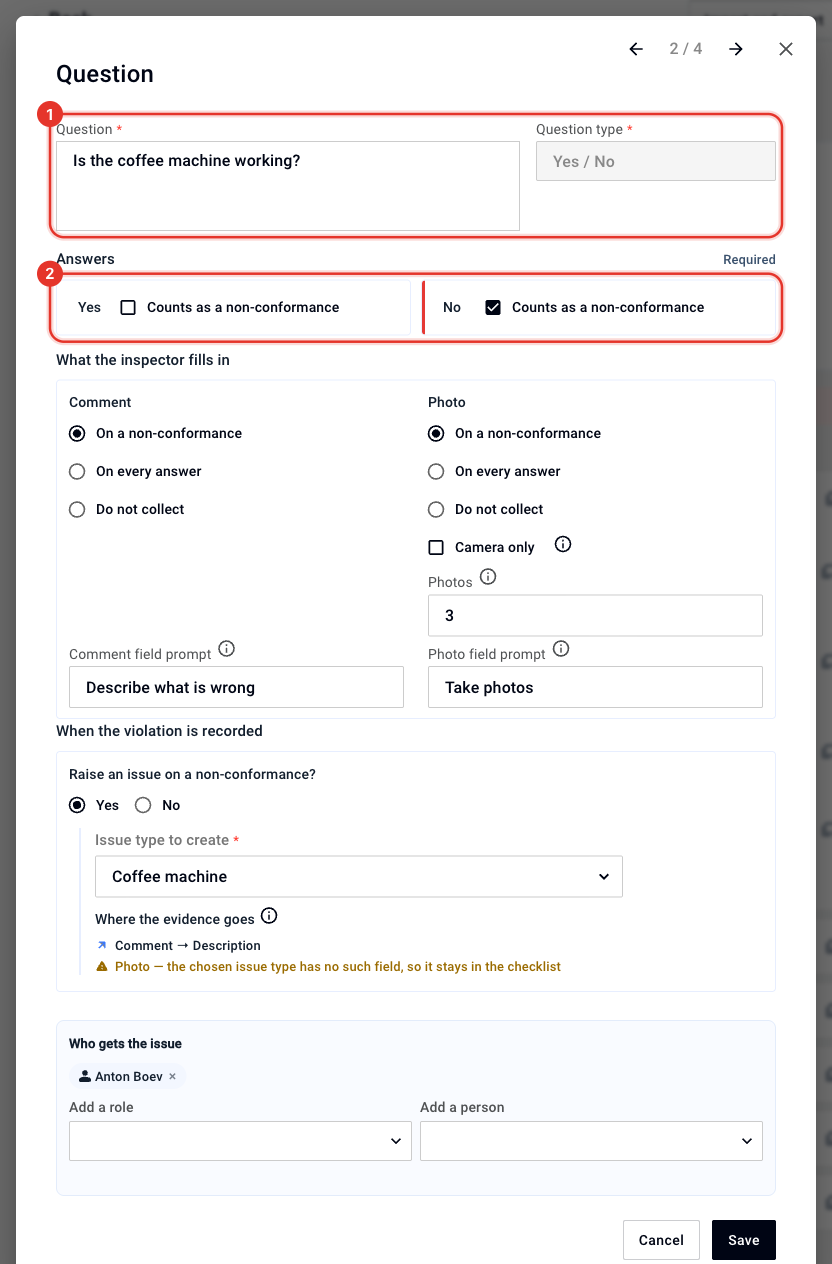
A question: its wording, its type, and which answer counts as a violation.
Wording and type
The wording is what the walker reads on their phone. Good wording can be checked on the spot and admits an unambiguous answer: "Is the kitchen clean?" beats "Assess the state of the kitchen".
The question type comes in two forms:
- Yes / No — the common one; one of the two answers counts as the violation;
- Choice — several options, any of which can be marked as a violation, each with a request of its own.
The type is fixed at creation. Answers already recorded would lose their meaning otherwise. If you picked wrong, delete the question and write it again.
Which answer is the violation
For Yes / No it is a switch: a violation on "No" (the usual case — "Clean?" → "No") or on "Yes" ("Any leak?" → "Yes").
A violation can also be left unset. The question then simply collects facts: the answer reaches the log and raises nothing.
What the walker fills in
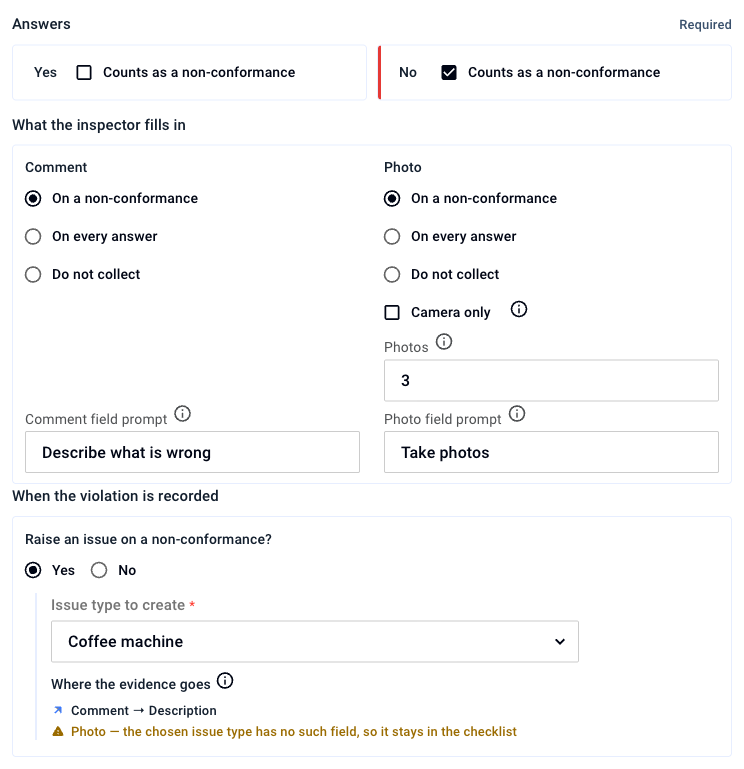
What the walker fills in: a comment and a photo can be collected on a violation, on every answer, or not at all.
A comment and a photo are collected in one of three modes:
| Mode | When to ask |
|---|---|
| On a violation | The usual choice: evidence is wanted where something is wrong |
| On every answer | When the fact itself matters: "Crockery put away?" with a photo either way |
| Do not collect | When the answer is enough |
Next to them are the prompts — the text the walker sees above the field ("Describe what is wrong"), the number of photos, and the camera only mode: shoot what is in front of you rather than picking from the gallery.
Which request is raised
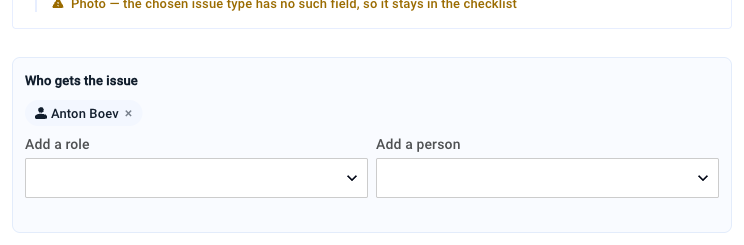
A request is raised only by the violating answer, and the dialog shows who the route will hand it to.
Raises a request is the type of request a violation creates. Leave it empty and the violation is recorded without one.
Below it is who that request goes to. There are three possible states:
- The route belongs to the round — the assignees can be changed right here.
- Configured outside the editor — delivery is handled by a route built under "Routes". The editor leaves it alone but offers an Override button: that creates a round-local route for this branch, and the local one wins.
- No route — the request would not be delivered at all. The editor says so plainly, and the round shows a warning.
"No route" is the most common reason a round "works but achieves nothing": violations are recorded, requests are created, and they hang there with nobody to do them. Check this line on every question that raises something.
Assignees are better given as a role than as a list of people: the membership of a role changes under "Employees", and the round needs no editing.
Questions with several options
A Choice question can have several of its options marked as violations, each with its own request. That is how severity is graded: "Minor damage" raises one request, "Critical" another, with a different deadline and different people. There is more on this in Inspections, where the technique is used most.
The order of questions
Questions are reordered by dragging. The order is the order on the walker's screen, and it is worth matching how a person actually looks around a room: top to bottom, from the door inwards.