


A QR code in the system is a sticker or a plate that leads to one particular place. Someone points a camera at it, lands on a request form, and never has to find their room in a list: the system already knows where they are standing.
Everything it takes lives under Settings → QR codes.
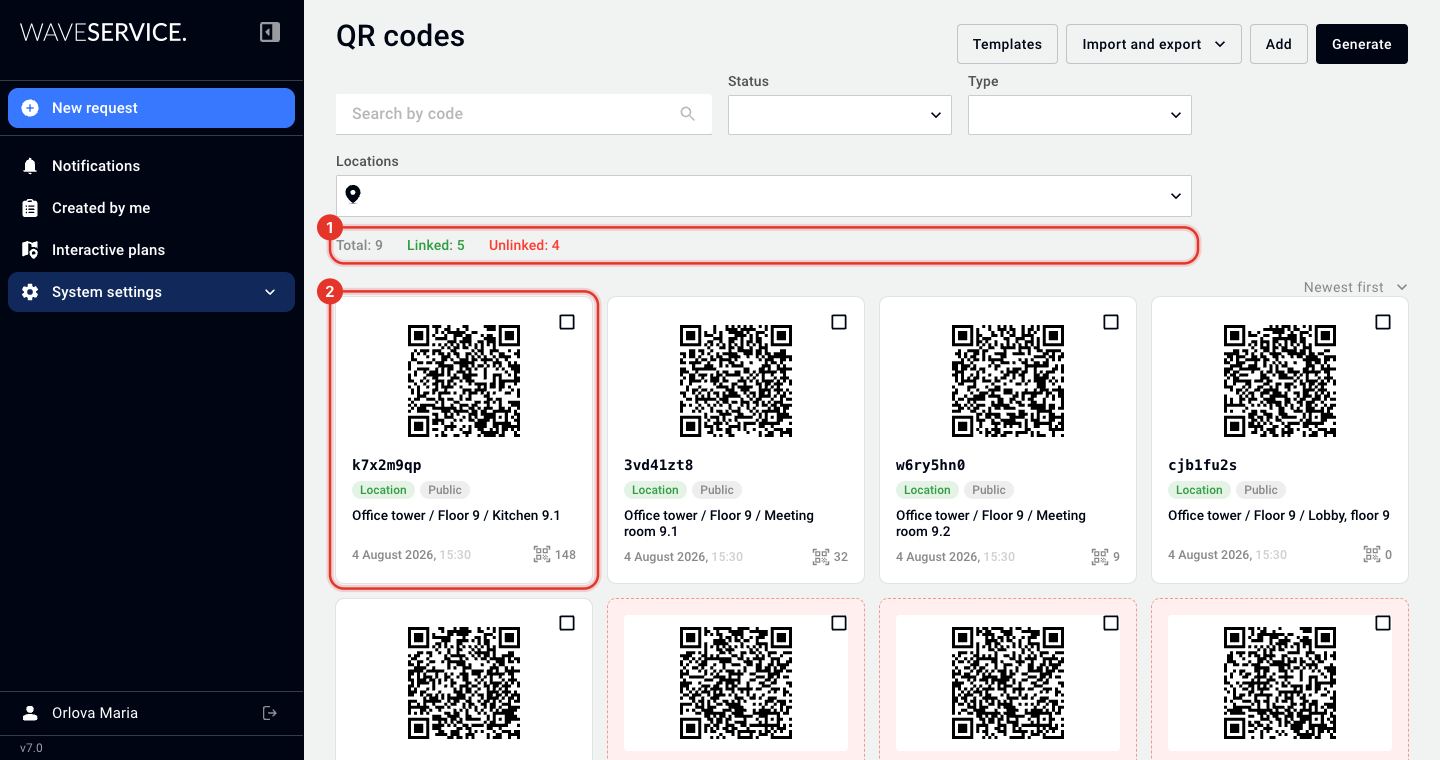
The QR registry: one card per code, with its image, its binding and how often it has been scanned. The line above says how many codes there are and how many are still bound to nothing.
Three things worth keeping apart
| What it is | Where it lives | Can it change |
|---|---|---|
| The code value — the short string inside the image | In the code itself | No: the image is already printed |
| The binding — what the code leads to | In the registry | Yes, at any time |
| The print template — what the card looks like | In the template | Yes, but it means reprinting |
The value is set once, at creation, and never changes — it is already in the printed image. The binding, by contrast, is free to change: the same code can be moved to another room without reprinting anything. That is exactly why it pays to print codes ahead of time, in a batch, and bind them where they go up.
Code values are always random. That is not fussiness: sequential codes (0001, 0002, …) would mean someone else's code can be guessed by counting.
What a scan does
A scan opens an address shaped like domain?code=value. The domain is your company's own address, configured once; from there the system looks at the binding and decides where to go:
- bound to a room — the new-request form for that room opens;
- not bound — someone holding the "QR binding" role is offered the chance to bind it; everyone else is told the code is not set up yet;
- bound to equipment or a bookable object — the matching section opens.
What each code tells you
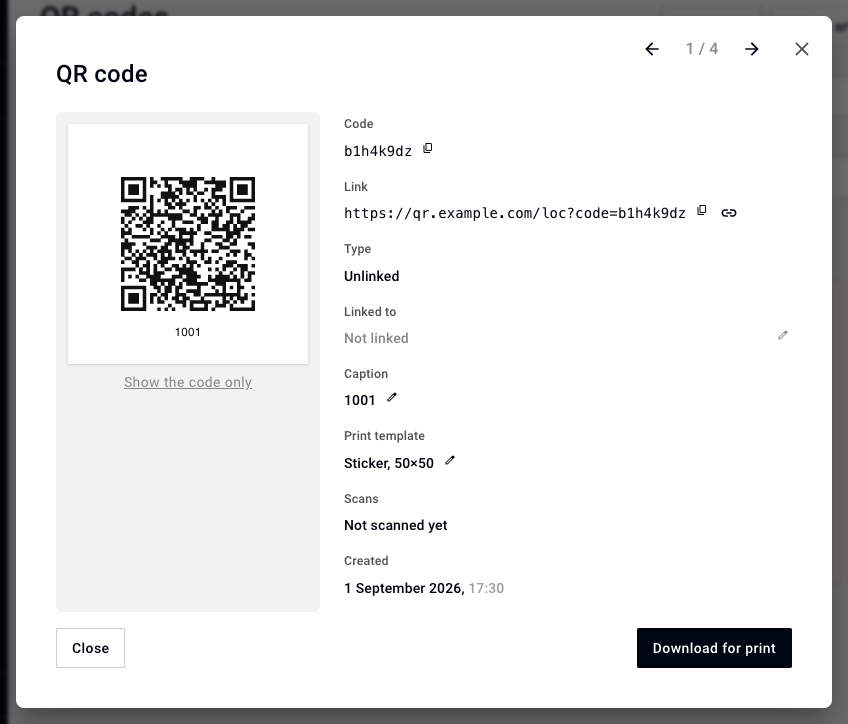
The card of one code: its value, the link a scan opens, what it is bound to, and the print template assigned to it.
A code's card answers every question at once: its value, the link a scan opens, what it is bound to, and which template it prints on. Binding and unbinding happen here too.
The scan counter on the card is the most practical number in the registry: a code with zero scans is probably not stuck to anything. Details are in Scan analytics.
Who can work with codes
- Administrator — the whole section: creating, binding, templates, printing.
- The "QR binding" role — binding a code to a room from the mobile app. It is a separate role, usually given to the people who physically put the plates up.
The registry only ever shows your own company's codes.
Where to start
- Create and bind codes — one at a time or in a batch.
- Set up a print template — what the card will look like.
- Prepare a set for printing — assign the template and download the archive.