


A print template is the layout of a card: its size in millimetres, its background, where the QR code sits and which captions surround it. One template serves any number of codes — the cards differ only in the data poured into their text blocks.
Templates live under Settings → QR codes → Templates.
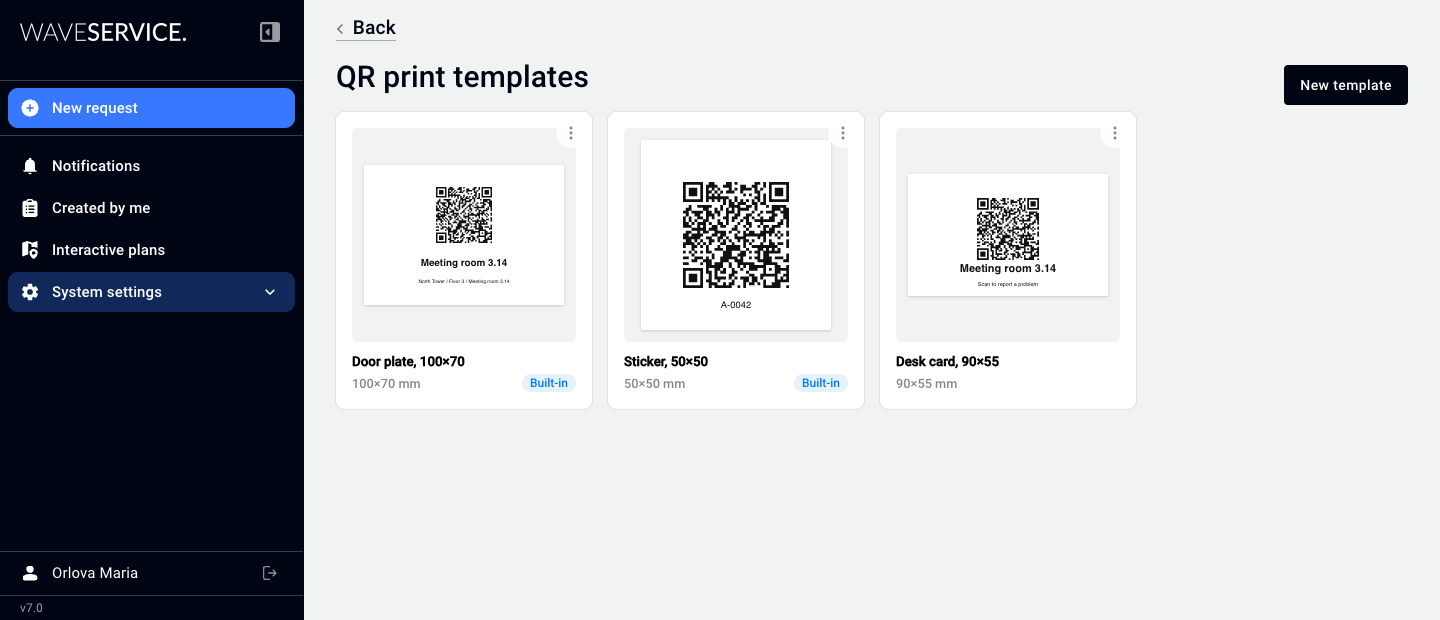
Print templates: the built-in presets and the ones belonging to the company. A preset cannot be edited — it is copied, and the copy is edited.
Presets and your own templates
The list holds two kinds:
- Presets — ready-made layouts, available to everyone and not editable. To build on one, press "Duplicate" and edit the copy.
- Company templates — your own, free to change and delete.
The split is not fussiness: a preset is shared across companies, and editing it would change somebody else's cards.
The editor
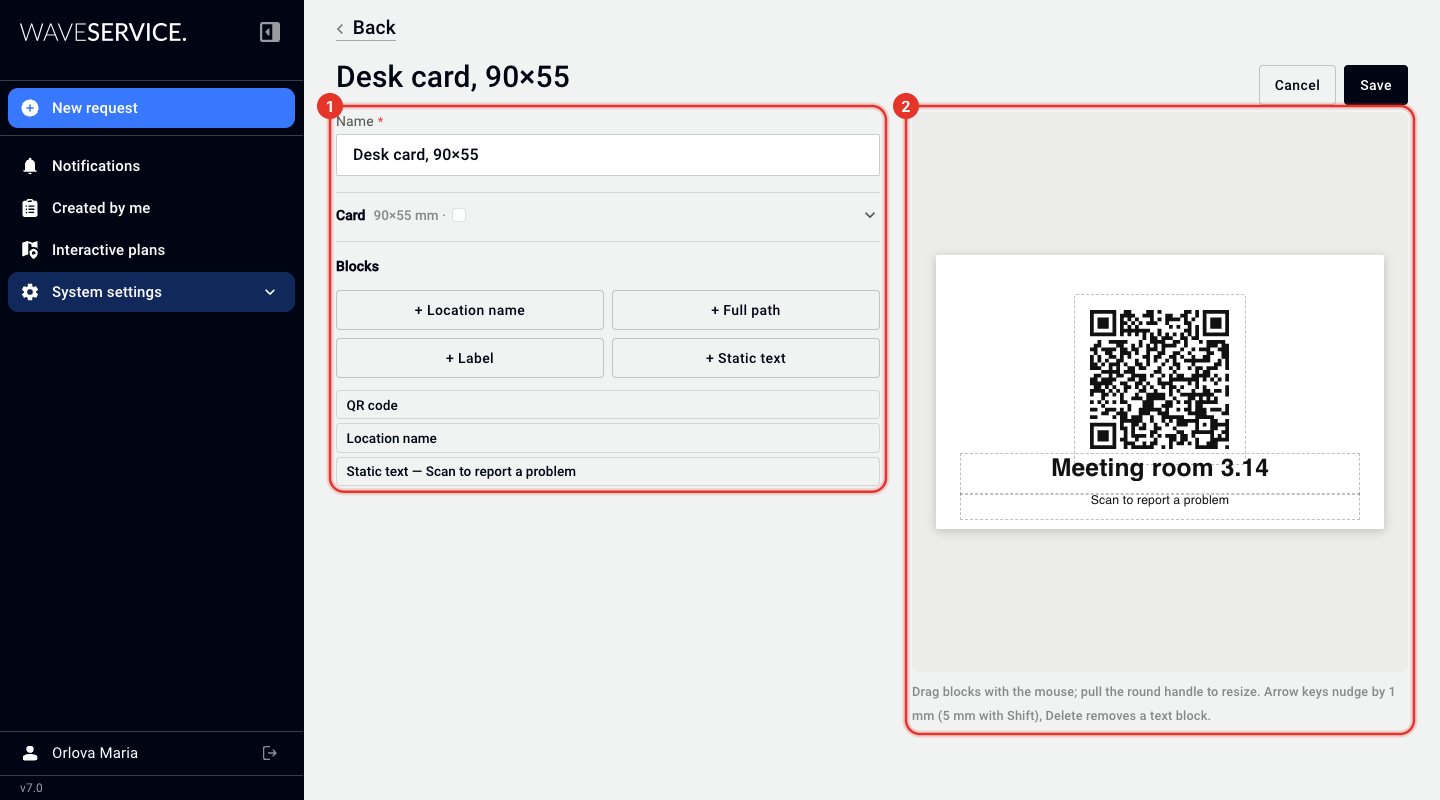
The template editor: a canvas in millimetres holding the QR block and the text blocks. Everything is dragged with the mouse and snaps to the millimetre.
The block list and its properties are on the left, the card at true proportions on the right. Blocks are dragged with the mouse and snap to the millimetre; the arrow keys nudge by 1 mm (5 with Shift), and the round handle resizes.
What you see on the right is what goes to print. The data in the text blocks is only an example: a real card carries the name of its own room.
The QR block
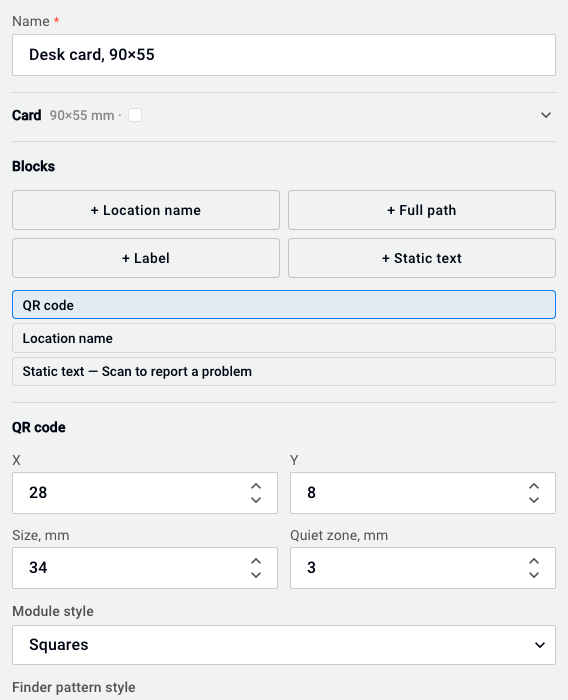
Properties of the QR block: size, the quiet zone around the code, the module style and the colours. The quiet zone is not decoration — without it scanners struggle to find the code.
The code block has one setting worth understanding — the quiet zone, the empty margin around the image. It is not decoration: without it a scanner has more trouble telling the code from its background, especially on a coloured card. Going below 2–3 mm is asking for trouble.
The rest is taste and house style:
- Size — the side of the block, quiet zone included.
- Module style — how the dots are drawn: squares, circles, bars. It barely affects readability, though round modules smear more visibly at small print sizes.
- Colours — the modules and the field they sit on. Keep the contrast high: a pale code on a pale background does not scan.
Text blocks
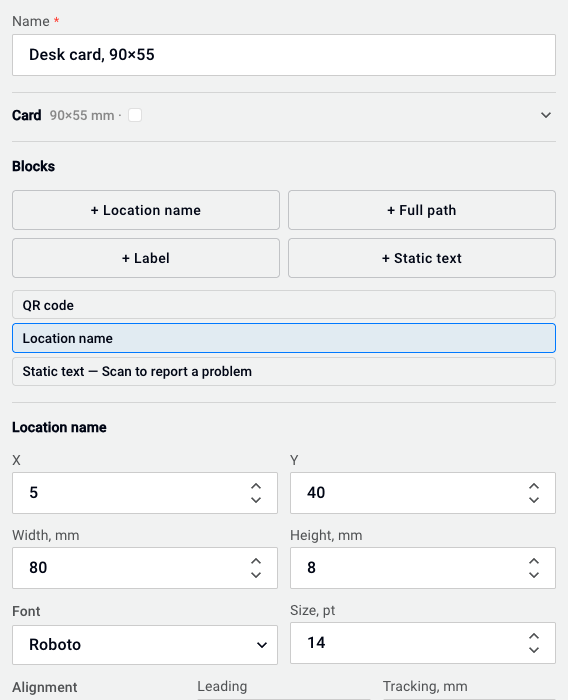
A text block takes its content from the data of the code itself: the location name, the full path, the caption — or a fixed line that is the same on every card.
A text block does not hold text — it holds a rule for where to get the text:
| Block kind | What gets printed |
|---|---|
| Location name | The name of the room the code is bound to |
| Full path | The path from the root: building / floor / room |
| Caption | The code's caption — the numbering from its batch |
| Static text | One and the same line on every card |
Which gives a simple rule: "Location name" and "Full path" only make sense for codes bound in advance. Print a batch of blanks with them and the card comes out empty — there is nothing to print, the binding does not exist yet. For those batches, use a template with a "Caption" block.
Text wraps and is clipped to the block's height: the height is the limit. If a caption is longer than its block, make the block bigger or the type smaller.
Background
The background can be a colour or an image. If a print shop is producing the cards, the best thing to upload is a CMYK TIFF: it is stored as it is and goes to print with no colour conversion. PNG and JPEG are accepted too, but they have to be converted, and the colour may shift slightly.
The editor shows an uploaded image as an RGB preview — that is expected. The original is still what goes to print.
Moving templates between companies
A finished template can be exported to a file and imported into another company, background and logo included. This is done by a superadministrator.