


When there are dozens of rounds and hundreds of questions, editing them one at a time is slow. An Excel file solves exactly that: export, edit in bulk, import back.
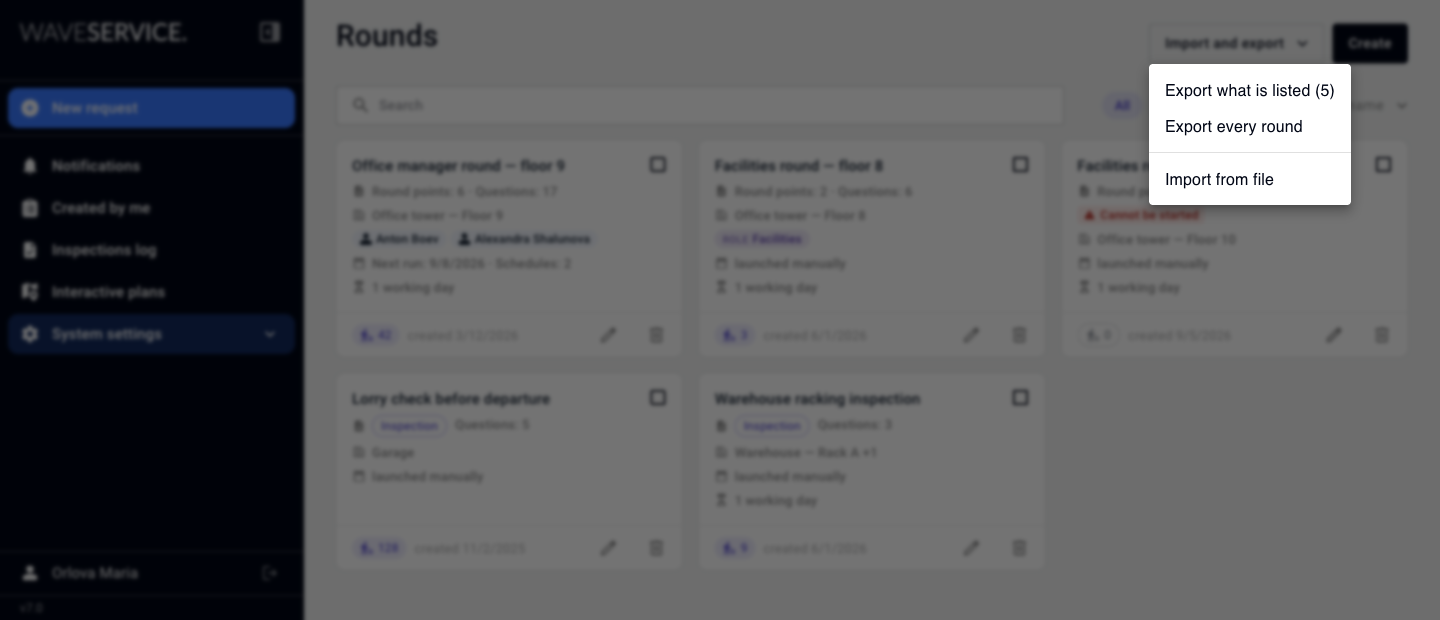
The "Import and export" menu: send rounds out to Excel and load the file back in.
The Import and export menu is on the list of rounds (exporting all of them, or the ones on screen) and on a single round's page (exporting just that one).
What is in the file
Three sheets:
| Sheet | One row is |
|---|---|
| Rounds | A whole round: name, launch place, walkers, deadline |
| Points | A point: its room and its checklist |
| Questions | A question: wording, violating answer, comment, photo, request raised |
An inspection has no rows on the "Points" sheet, and its questions carry an empty "Checklist" cell — that is how the system recognises it.
Three rules that save pain
- An empty cell means "leave it alone", not "clear it". To erase something, write an explicit value rather than deleting the contents.
- A row with an ID updates; a row without one creates. Hence the classic trap: clear "Round ID" and re-import, and you get a second identical round, not an update of the first.
- Do not touch the ID columns. "Question ID" above all: it is how the system knows a question was edited rather than deleted and rewritten — and it carries the answers already collected across to it.
After the first import into a new company, export again from there and work with that file. It already carries the IDs, so the next import updates rather than duplicates.
Importing
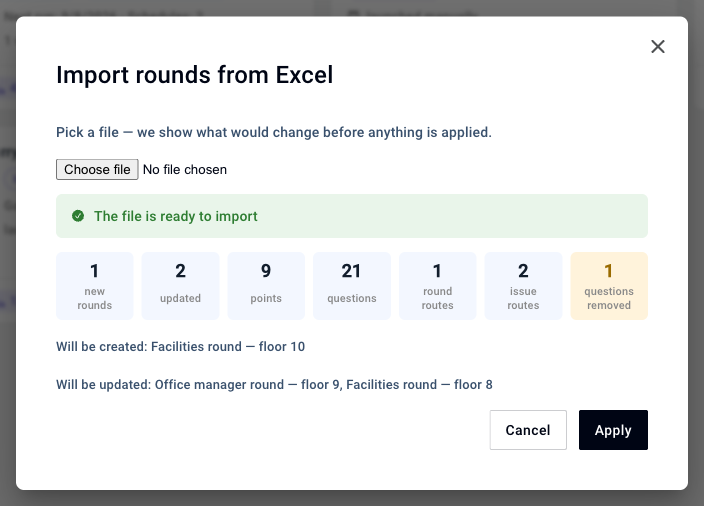
A file is shown before it is applied: how many rounds will be created and updated, how many points and questions, and who the requests will go to.
An import happens in two beats: the system first shows what would happen, and only then, on "Apply", does it.
The report says:
- how many rounds will be created and how many updated, by name;
- how many points and questions are touched, and how many questions will be removed;
- who the requests will go to — where the file agrees with the routes and where it differs and will create an override;
- the problems, if there are any.
The file is applied whole or not at all. If even one row cannot be understood, nothing is applied, and the report says which row and why.
What the file is good for
- rewording questions across every checklist at once;
- flipping which answer is the violation;
- switching photos off where they are not wanted;
- adding the same question to a dozen checklists;
- copying a round into another company — export, clear the ID columns, fix the room names, import.
What the file will not do
The file does not create routes for violations: it can only say who gets a request where the round has routes of its own. If a round is routed by hand under "Routes", changing the assignee through the file is refused — and the report says the change belongs in "Routes".
When something goes wrong
The report names the row and the reason. The common ones:
- "Round not found" — the "Round ID" holds a value from another company or another file;
- "Location not found" — the room's path is not written the way the system spells it; check it against an export;
- "Ambiguous name" — several request types share that name; say which one is meant.