


A point is a pair of room + checklist: where the walker stops and what they fill in there. Points are what a route is made of.
Adding a point
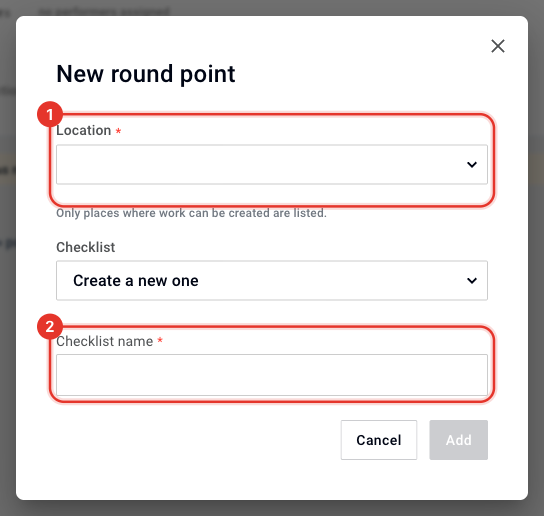
A new point: the place where the checklist is filled in, and the name of the checklist.
The Add point button asks two things:
- Location — one particular room. Here, unlike the round's launch place, a room is exactly what is wanted. The list only offers places where requests can be created: if the one you need is missing, check that room's settings.
- Checklist — a new one, or one this round already uses.
A new checklist or an existing one
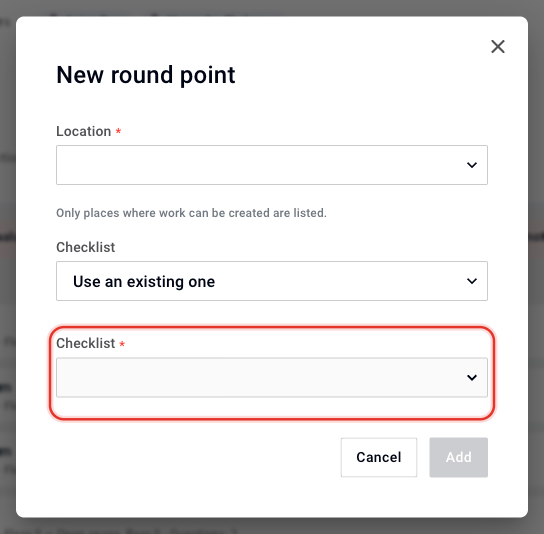
A checklist need not be new — an existing one from this round can be reused, so the same list of questions is filled in several rooms.
This is a decision worth making deliberately.
Create a new one — the point gets its own list of questions, unconnected to the rest.
Take an existing one — the point is filled in against the same checklist as another. The questions are shared: fix a wording in one place and it changes everywhere.
Reuse is the reason checklists are separate from points at all. Five meeting rooms on a floor are checked identically; keeping five identical lists and synchronising them by hand is a reliable way to end up with five different ones.
The walker sees the checklist's name on their phone, so it should say what is being checked, not where: "Meeting room", "Washrooms", "Kitchen". They can see the place — they are standing in it.
The finished route
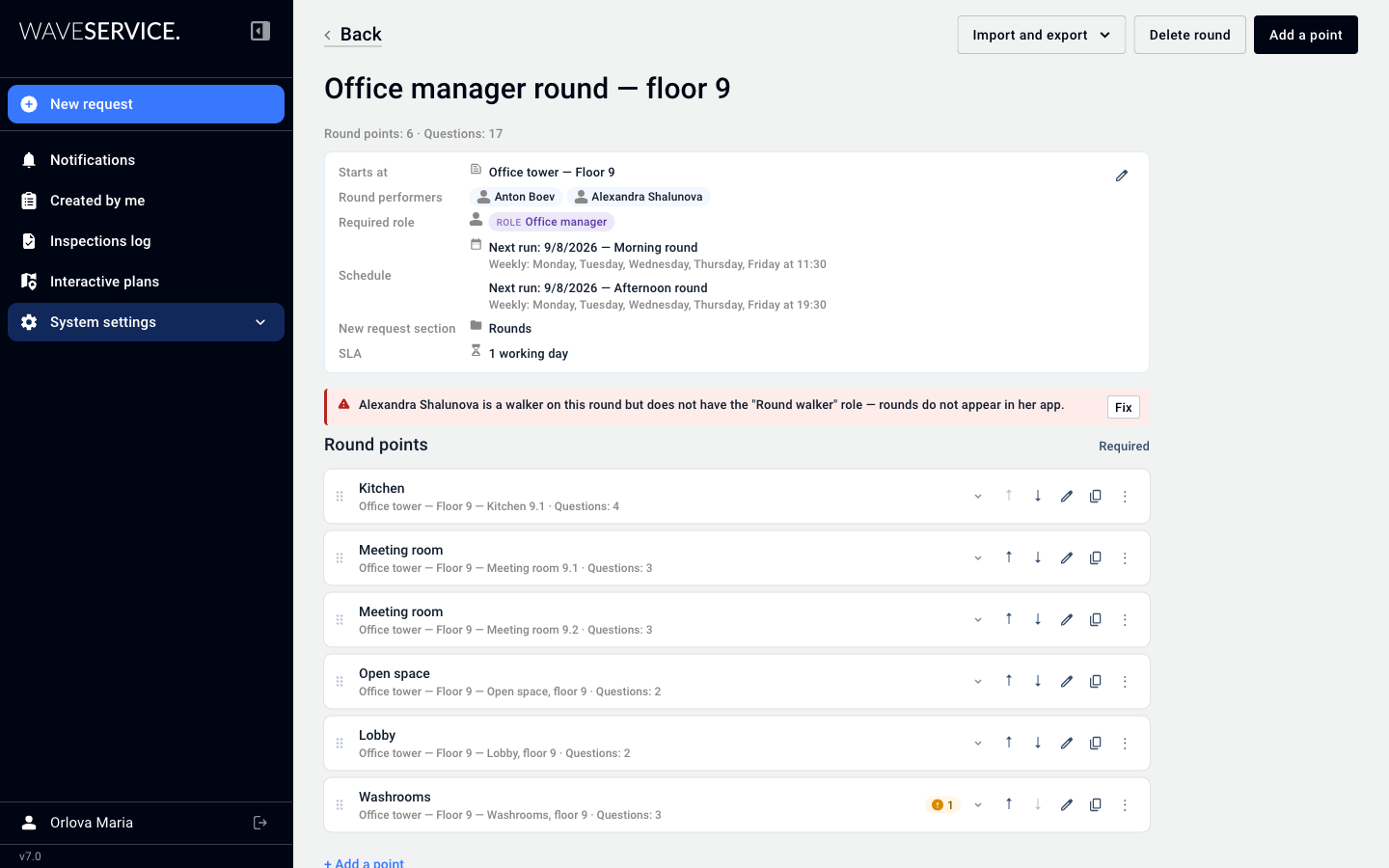
A configured round: six points, each with its own checklist. The sections are collapsed so a long round can be read at a glance.
Sections are collapsed so a long round can be read at a glance: each point shows its room, its checklist's name and how many questions it holds. The order of the sections is the order of the walk; it is changed with the "Up" and "Down" buttons or by dragging.
Order it the way a person moves: out of the lift and down the corridor, not alphabetically.
What is inside a point
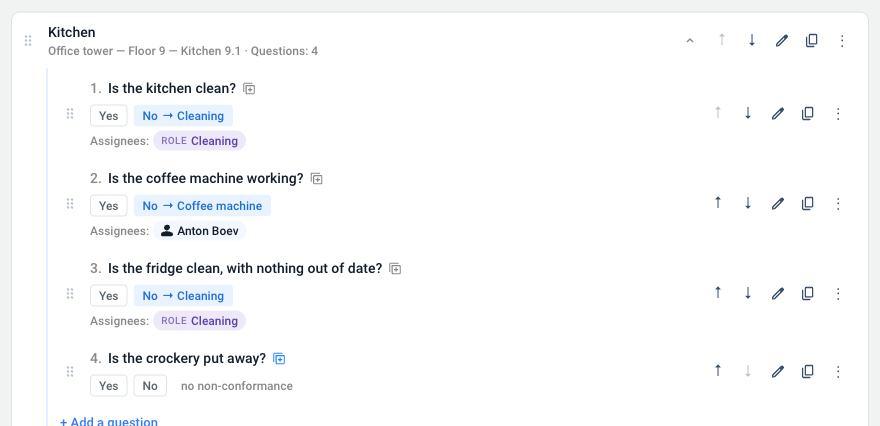
A point expanded: the questions of its checklist, each showing which answer counts as a violation, what that raises and who it goes to.
A section opens when its title is clicked. Inside are the checklist's questions, each showing what matters at a glance: which answer counts as a violation, what that raises, and who the request goes to.
Those lines are not decoration — they are how a round is checked without opening every question. If a question says the request goes to "nobody", the route is not set up and the violation will go nowhere.
Renaming and deleting
- Renaming a checklist is done by opening the point. If the checklist is filled in at other points too, the editor says so: the name is shared.
- Deleting a point is done from its section. Only the point goes; the checklist survives if anything else uses it.
Next
With the points in place, on to the substance: questions, violations and requests.