



Every morning, thousands of UK drivers walk round their vehicle, tick a defect sheet and hand it in, or don't. The walkaround itself is simple. What goes wrong is everything after it: defects that never reach the workshop, checks that were never written down, and a file that cannot answer a traffic examiner's questions. Here is what DVSA expects, where the paper sheet lets you down, and how to fix it.
try free for 30 days
Get your safety checks off paper in a day
Free for 30 days, no card needed

Quick start
What DVSA expects from defect reporting
DVSA's Guide to maintaining roadworthiness is the reference most operators work from. For goods vehicles and buses run under an operator's licence, the main points are:
- A daily walkaround check before the vehicle is used. The driver checks the vehicle, and any trailer, before driving it. The driver is responsible for the condition of the vehicle when it is on the road.
- A written system for reporting defects. Drivers report defects in writing, on paper or electronically, so that they reach the person who can arrange the repair.
- Defects are put right before the vehicle is used, if they affect its roadworthiness. Someone competent records what was done and confirms the vehicle is safe.
- Nil defect reporting is good practice. A report that says "checked, nothing found" shows the check happened. Without it, a day with no defects looks the same as a day with no check.
- Records are kept for at least 15 months. That includes driver defect reports, safety inspection records and repair records.
Vans and cars are not covered by goods vehicle operator licensing, but they still have to be roadworthy, and employers have health and safety duties for vehicles used for work. Many fleets run the same daily check and the same defect process for vans as for their lorries, and it is a sensible default.
TagPoint helps you keep the record of each walkaround check and each defect. It does not make an operator compliant on its own, and this article is not legal advice. For the full requirements, read DVSA's Guide to maintaining roadworthiness and talk to your transport manager.Why the paper defect sheet fails
The carbon pad in the cab is cheap and familiar. It also fails in the same five ways at almost every depot.
- Nil reports don't get written. When nothing is wrong, the sheet stays in the pad. At the end of the month there is no way to tell a clean check from a missed one.
- The defect stops at the pad. The top copy goes into a pocket, then a tray, then the transport office a few days later. In between, the vehicle keeps running with the fault nobody else knows about.
- No proof the walkaround happened. A sheet with every box ticked, written at the end of the week, looks the same as one done properly at 6am.
- The repair is on a different piece of paper. The defect is on the driver's sheet, the repair is on a workshop job card, and the link between them is somebody's memory. The 15-month file ends up with defects and no sign-off.
- Finding one vehicle's history takes hours. When a traffic examiner asks for every defect on one vehicle since last spring, someone spends an afternoon in the filing cabinet.
None of these are the driver's fault. They come from a process where the record and the follow-up live in different places.
What a complete defect report contains
Whether you stay on paper or not, a defect report should answer the same questions. The checklist below is a good test of your current sheet.
| Vehicle | Registration or fleet number, and the trailer if there is one |
|---|---|
| Date, time and driver | The driver's full name and when the check was done |
| Mileage | The odometer reading, which helps link the report to the vehicle's history |
| Each check item | A result for every item, not just the faulty ones, so a nil report is a real record |
| Defect details | What is wrong and where, ideally with a photo |
| Safe to drive? | The driver's judgement, which decides how urgent the repair is |
| Who was told | The transport manager, workshop or supervisor who received the report |
| Repair and sign-off | What was done, by whom, when, and confirmation that the vehicle is roadworthy again |
For lorries, DVSA's walkaround guidance lists the items to cover. Inside the cab: mirrors and glass, windscreen wipers and washers, warning lamps and gauges, steering, horn, brakes and air build-up, height marker and seat belts. Outside: lights and indicators, fuel and oil leaks, battery security, AdBlue, excessive exhaust smoke, body and wings, spray suppression, tyres and wheel fixings, brake lines, electrical connections, coupling security, load security, number plates, reflectors and markings. For vans, a shorter version of the same list works well.
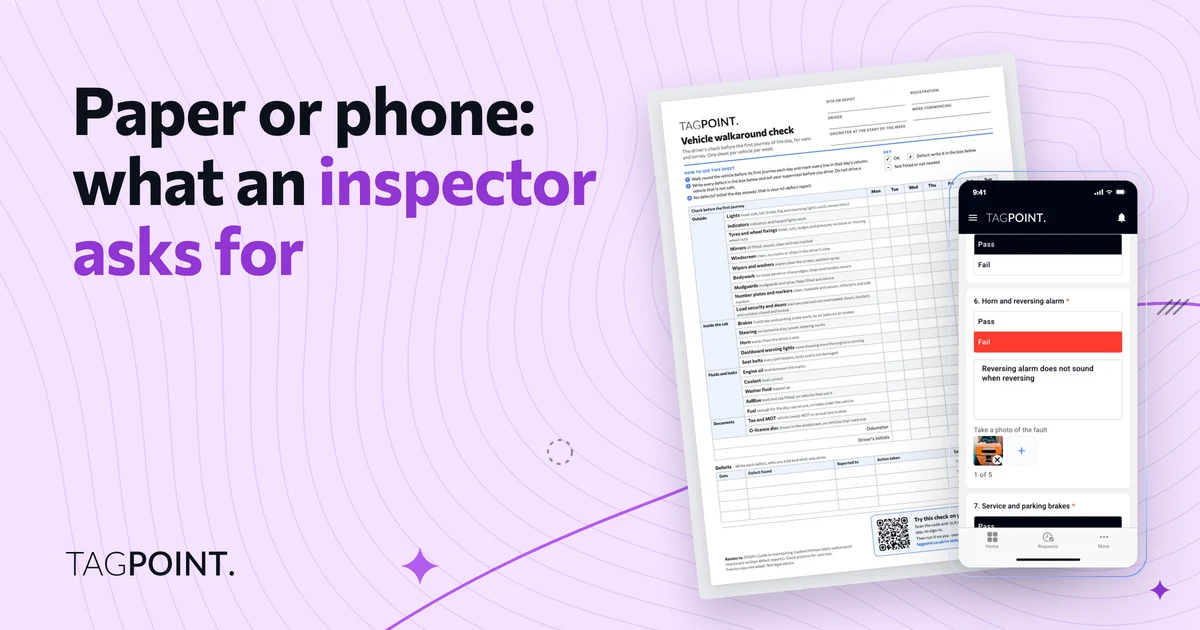
If you want a ready-made list, our vehicle walkaround check template is a free PDF you can print today.
Taking a vehicle off the road
Most defects are minor: a bulb, a wiper blade, a missing reflector. Some mean the vehicle must not be used until it is fixed. That is what "VOR", vehicle off road, means in most depots: the vehicle is parked, the keys are held back and the board in the office says so.
The weak point is the gap between the driver spotting a serious defect and everyone else knowing about it. On paper, that gap can last until the next shift. Two things close it:
- Ask the question directly. End every walkaround check with "Is the vehicle safe to drive?" A "no" should never be an ordinary defect in the pile.
- Make the "no" reach a person straight away. The transport manager or workshop lead should hear about it while the driver is still standing next to the vehicle, not when the paperwork arrives.
A system can tell people quickly. It cannot hold the keys. Deciding that a vehicle stays off the road, and that it is fit to go back on, is still a job for a competent person, and the record should show who made that call.
Moving defect reports to a phone
This is how operators set up walkaround checks and defect reports in TagPoint.
A QR label in each cab. It usually goes on the driver's door frame or the sun visor, where it is out of the weather and the jet wash. The driver scans it with the TagPoint app and the walkaround check for that vehicle opens. There is no list of registrations to scroll through and no chance of checking the wrong one.
One answer per item. Each item is pass or fail. The mileage is entered as a number. A failed item asks for a comment and a photo before the check can be saved, so the workshop sees the defect the way the driver saw it.
Every failed item raises an issue. It goes to the person or role you choose, such as the workshop or the transport manager, with a deadline. "Not safe to drive" can raise its own issue with a deadline of an hour or two. If an issue is not closed in time, the manager is told.
The repair closes the loop. Whoever fixes the defect closes the issue, with a comment and photos. The issue keeps its full history: who reported it, who had it, what was done and who closed it, and when.
Nil reports happen by default. A check with every item passed is still a saved check with a name and a time. The daily walkaround is scheduled per vehicle, with a deadline, so a vehicle with no check today shows up as overdue, and a manager is told.
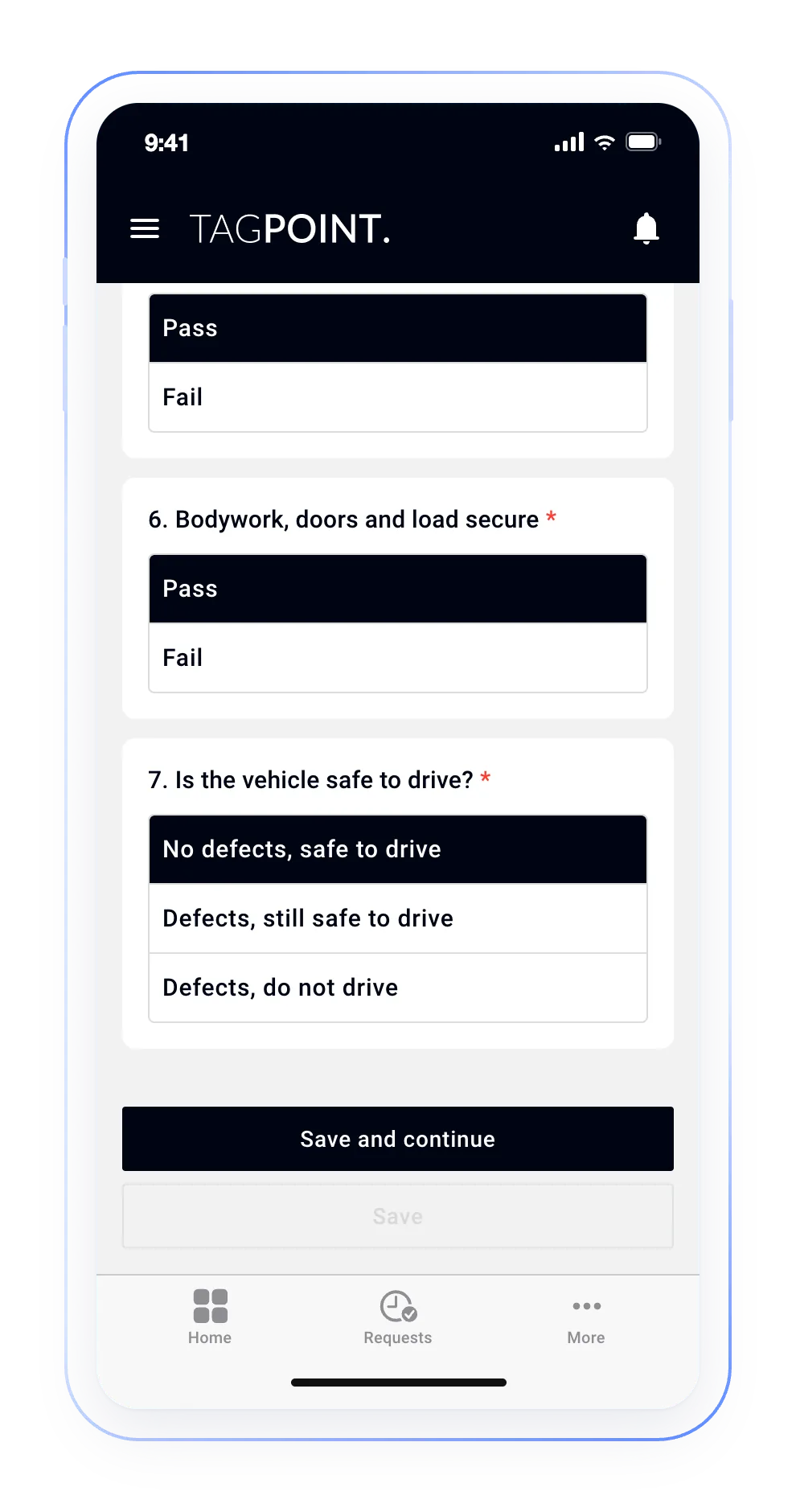
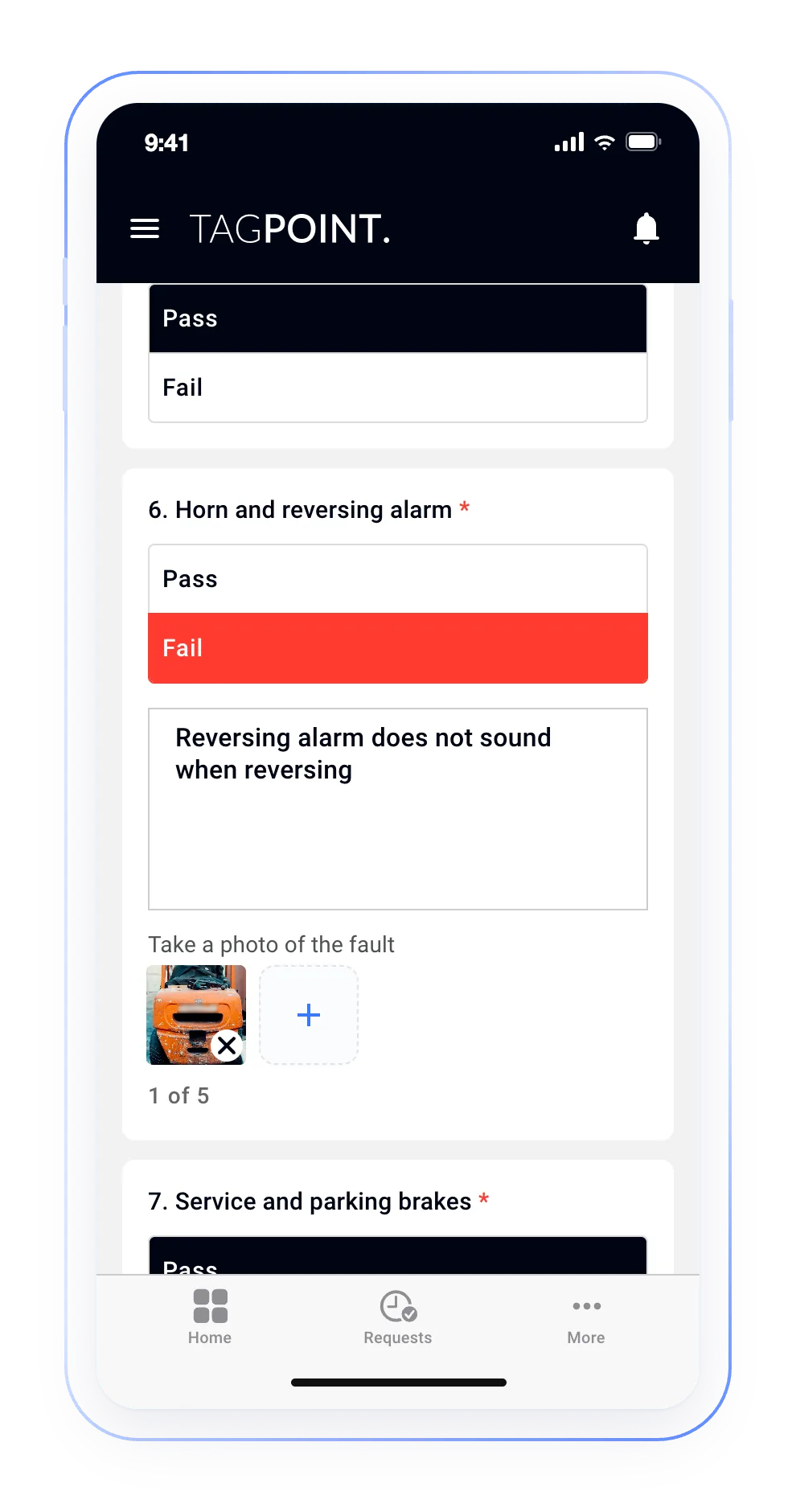
The walkaround check ends with the question: is the vehicle safe to drive? A failed item needs a comment and a photo
For the transport office, open defects are in one list, with their deadlines and the overdue ones at the top. The checks log shows every walkaround with the driver, the vehicle, the time and the number of failed items. For your 15-month file, records stay in your account, and report tables export to Excel whenever you want a copy for your own records.
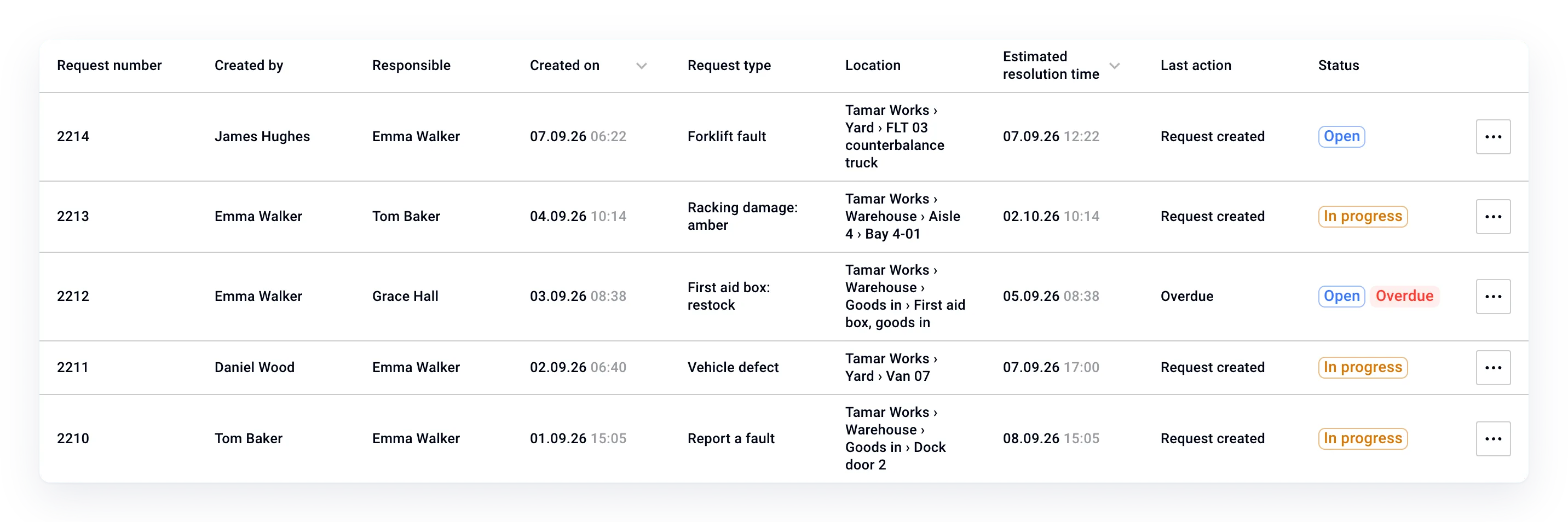
Open defects from walkaround checks, with deadlines, in one list
A few practical tips for the switch:
- Start with one depot and run it for two weeks before rolling out.
- Keep the walkaround list close to DVSA's, in the order a driver actually walks round the vehicle.
- Brief drivers in ten minutes at the start of a shift, with a phone in their hand and a labelled vehicle in front of them.
- Keep a paper pad in the cab for the odd day a phone is dead, and file that sheet with the vehicle's records.
- Look at the defect list every morning for the first month. The quickest way to make drivers trust the system is to fix what they report.
You can read more about vehicle checks in TagPoint, or see how it fits fleets and yards.