


A round is a regular walk through a list of places: the walker goes from point to point, answers a checklist at each, and anything wrong turns straight into a request for whoever fixes it.
It is all set up under Settings → Rounds.
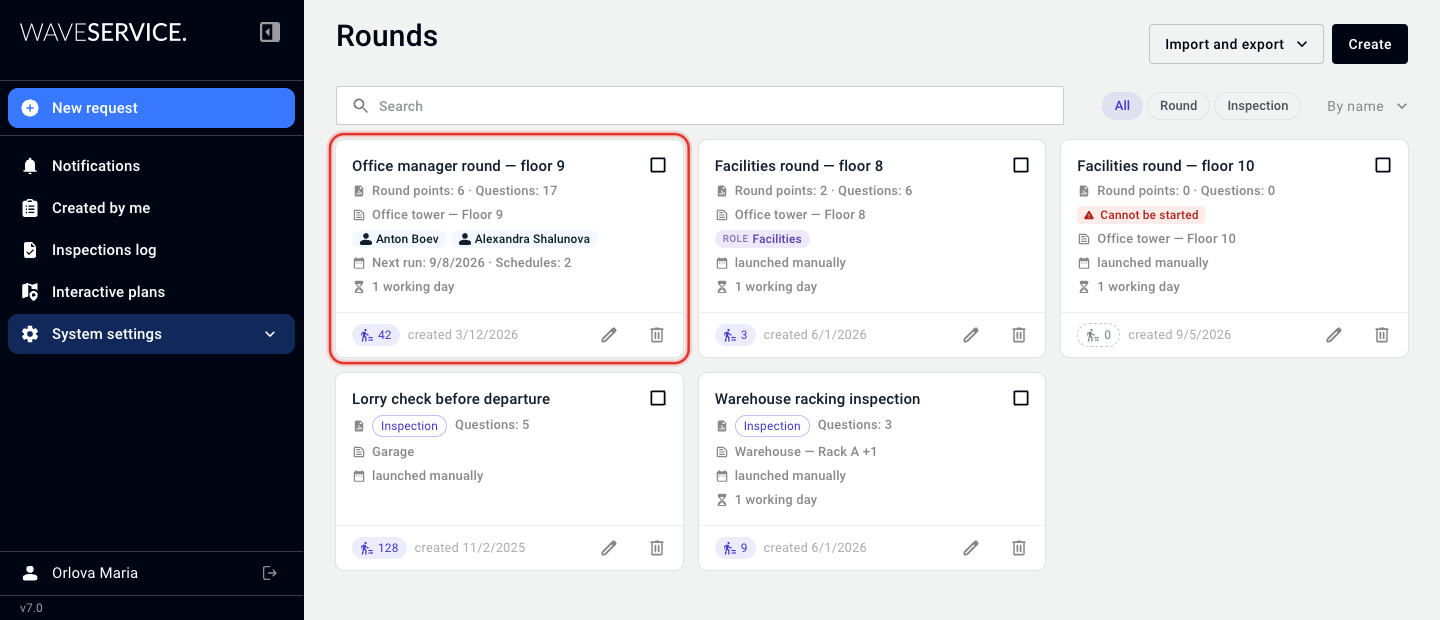
The "Rounds" section: the company's rounds and inspections as one grid of cards. A card shows what the round is made of, where it starts and when it last ran.
Two kinds: round and inspection
The kind is chosen once, at creation, and never changes.
| Round | Inspection | |
|---|---|---|
| What it is made of | A list of points, each with its own checklist | One form, no points |
| Who fills it in | The walker it was assigned to | Whoever starts it, on the spot |
| When it closes | When every point has been walked | As soon as it is filled in |
| Typical example | The morning walk of a floor | Checking a vehicle before it leaves |
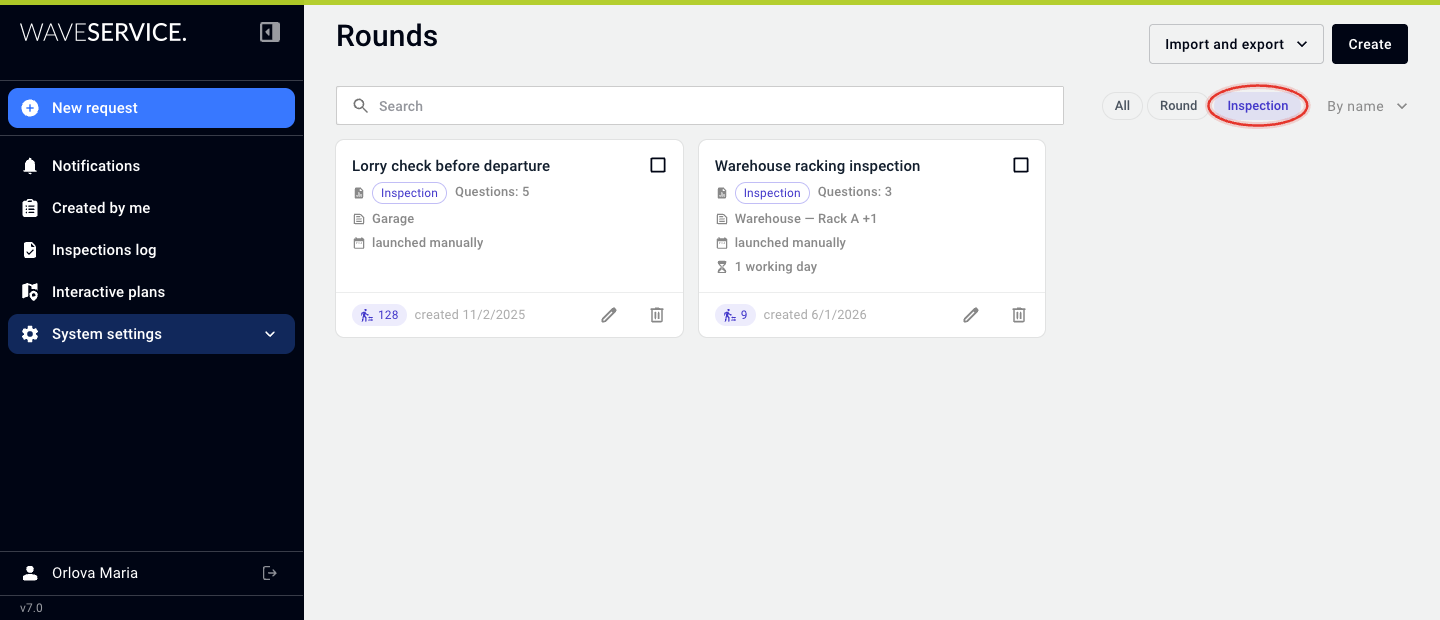
Filtering by kind: rounds on their own, inspections on their own.
The easiest way to think about it: a round is a route, an inspection is a form. If someone walks and ticks along the way — a round. If they stand in front of one object and fill something in — an inspection.
What a round is made of
Round
├── Point (room) → Checklist
│                   ├── Question → violating answer → request
│                   └── Question
└── Point (room) → Checklist
- A point is a pair of "room + checklist": where it is filled in and what is filled in.
- A checklist is a list of questions. The same checklist can sit on several points: "Meeting room" is filled in at both 9.1 and 9.2, and they share their questions.
- A question is what the walker answers. It carries which answer counts as a violation and which request that violation raises.
What happens on a violation
This is the mechanism the whole thing exists for:
- The walker answers a question the way it is marked as a violation.
- The system collects whatever it is set to collect: a comment, photos.
- A request of a pre-set type is created, in the same room.
- The route hands it to an assignee.
- The rounds log shows which question raised it.
The walker chooses neither the request type nor the assignee — both were decided during setup. Their job is to answer honestly.
Not every question has to raise a request. A violation can be recorded and raise nothing, staying in the log. And a question need not have a violating answer at all: "Is the crockery put away?" with a mandatory photo is simply collecting facts.
The editor's remarks

The editor prints its remarks where they can be fixed, and the ones it can fix itself carry a "Fix" button.
The editor keeps checking the round and prints its remarks where they can be fixed: for the round as a whole under the header, for a point in its own section, for a question on its row.
Remarks come in three strengths: an error (the round will not work), a warning (it will work but something is lost — nobody to hand a request to, say) and a hint. Some carry a Fix button: the system will do it itself, and says what it is about to do first.
Next
- Creating a round — kind, launch place, walkers, schedule.
- Points and checklists — how a route is assembled.
- Questions, violations and requests — the substantial part of the setup.
- Inspections — when no points are needed.
- The Excel round trip — when there are many rounds.